

How to update nocnoc prices
1
Go to Listings
From the left sidebar, navigate to the Listings section.
2
Click Import
In the upper-right corner, click the Import button.
3
Select Import Listing Prices
From the dropdown, select Import Listing Prices.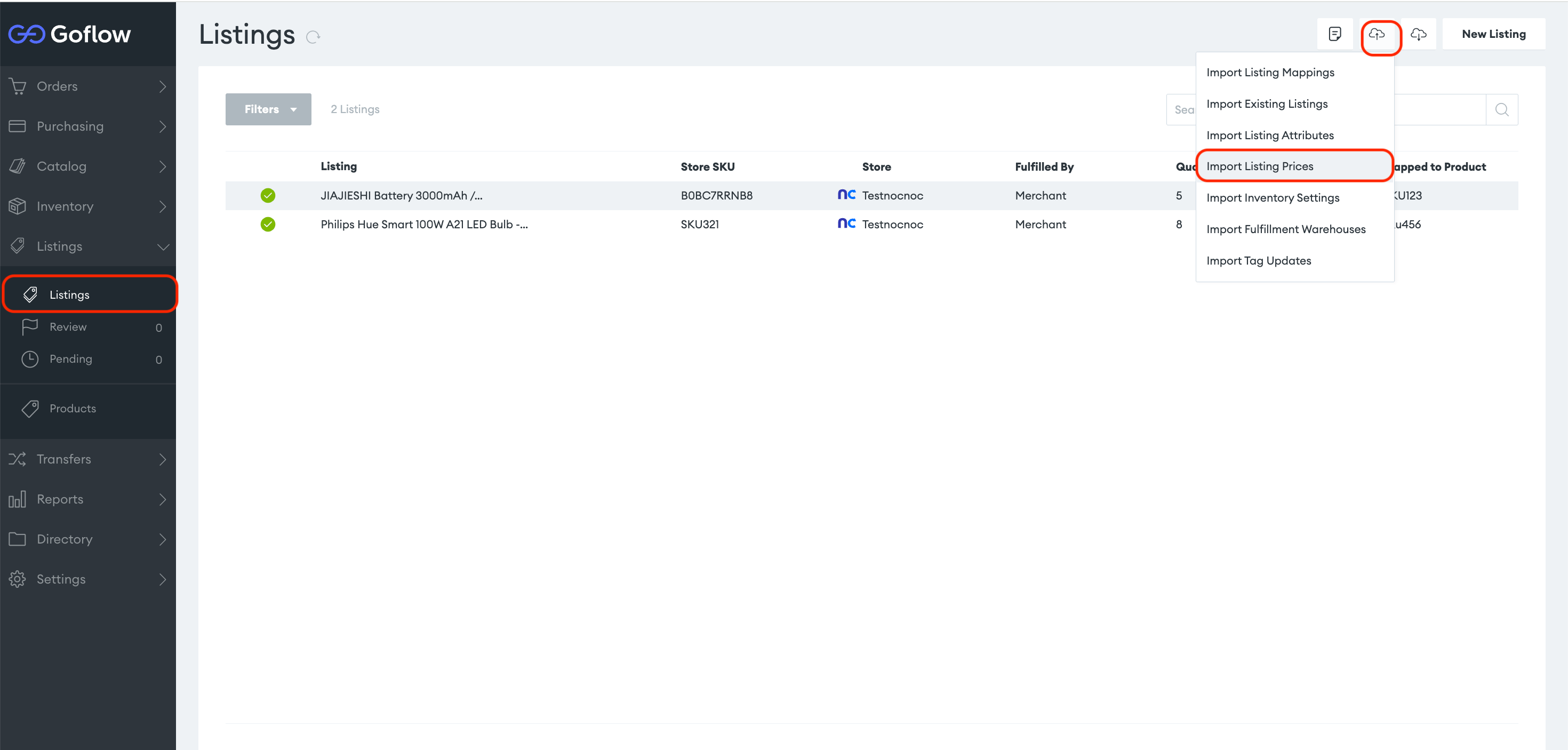
4
Choose your nocnoc store
Select the nocnoc store from the store dropdown.
5
Download and fill the CSV template
Download the CSV template — it contains two columns: SKU and List Price. Fill it in with the prices you want to set for each product.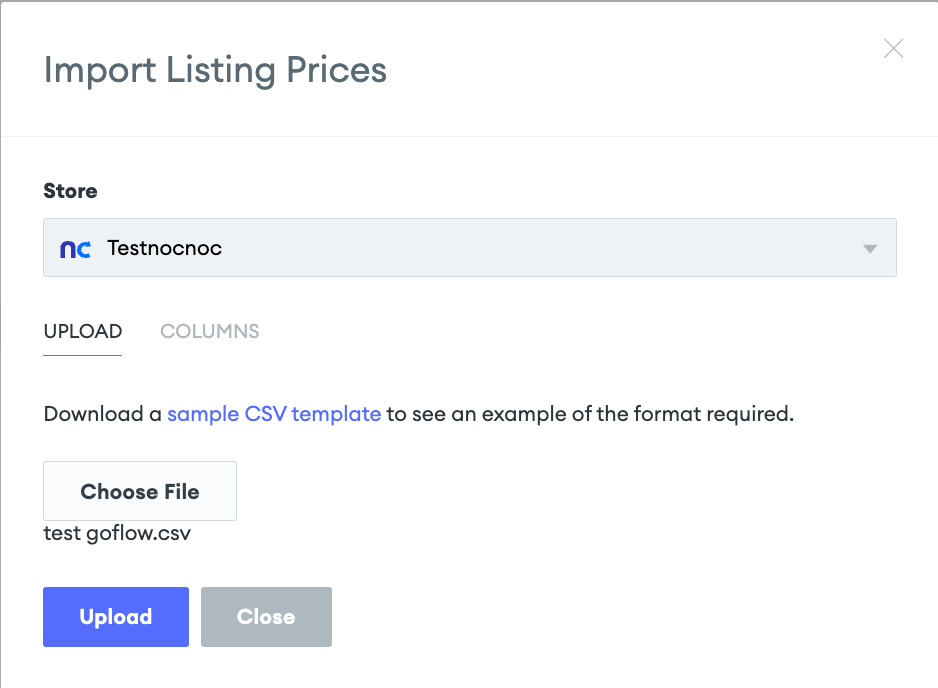
If you need a list of all your store SKUs, you can export them first using Export Listings from your nocnoc store.
6
Upload
Click Upload to apply the new prices to your nocnoc listings.